Track time in one tap.
Start a timer or clock in.
Every minute lands in the timesheet.
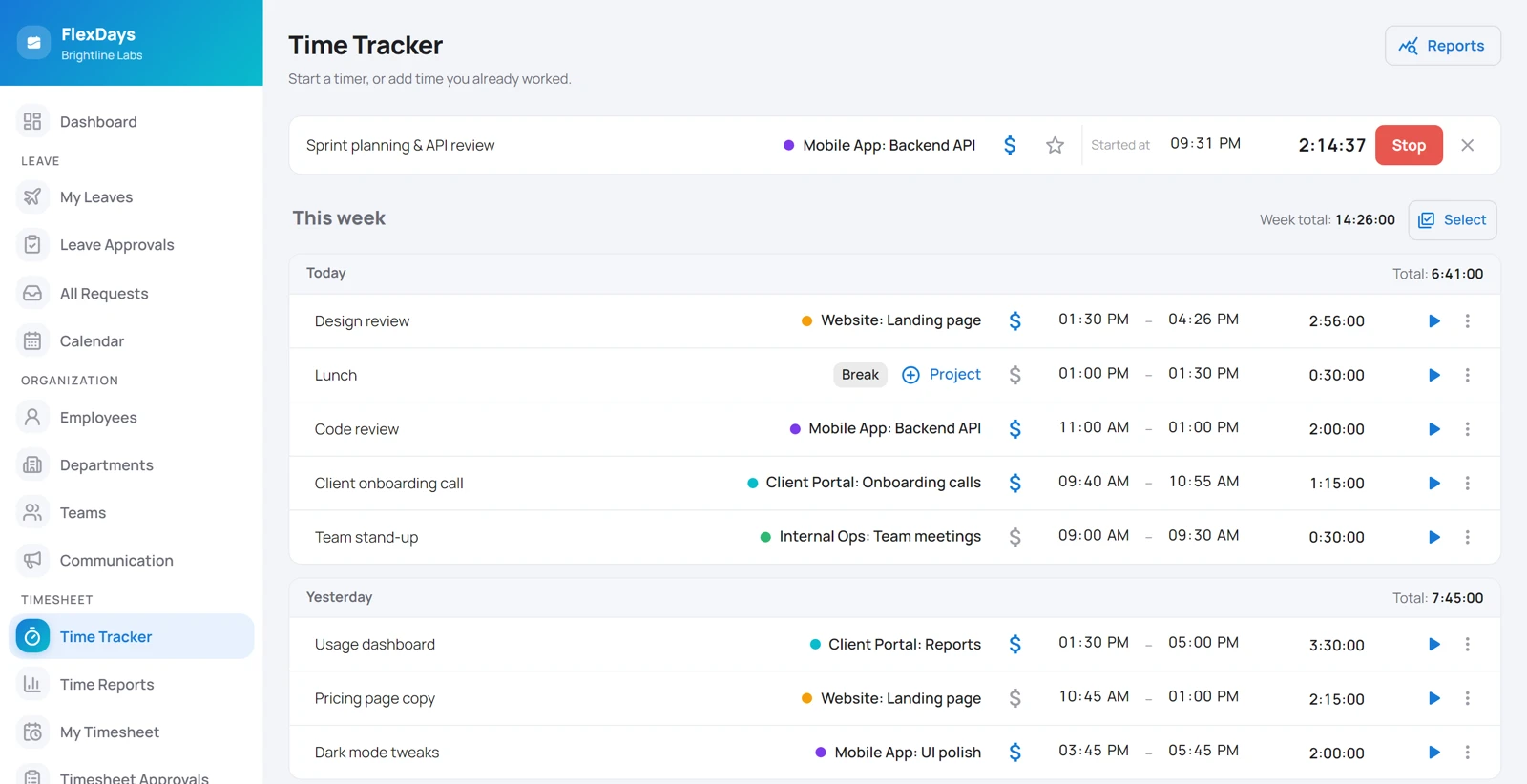
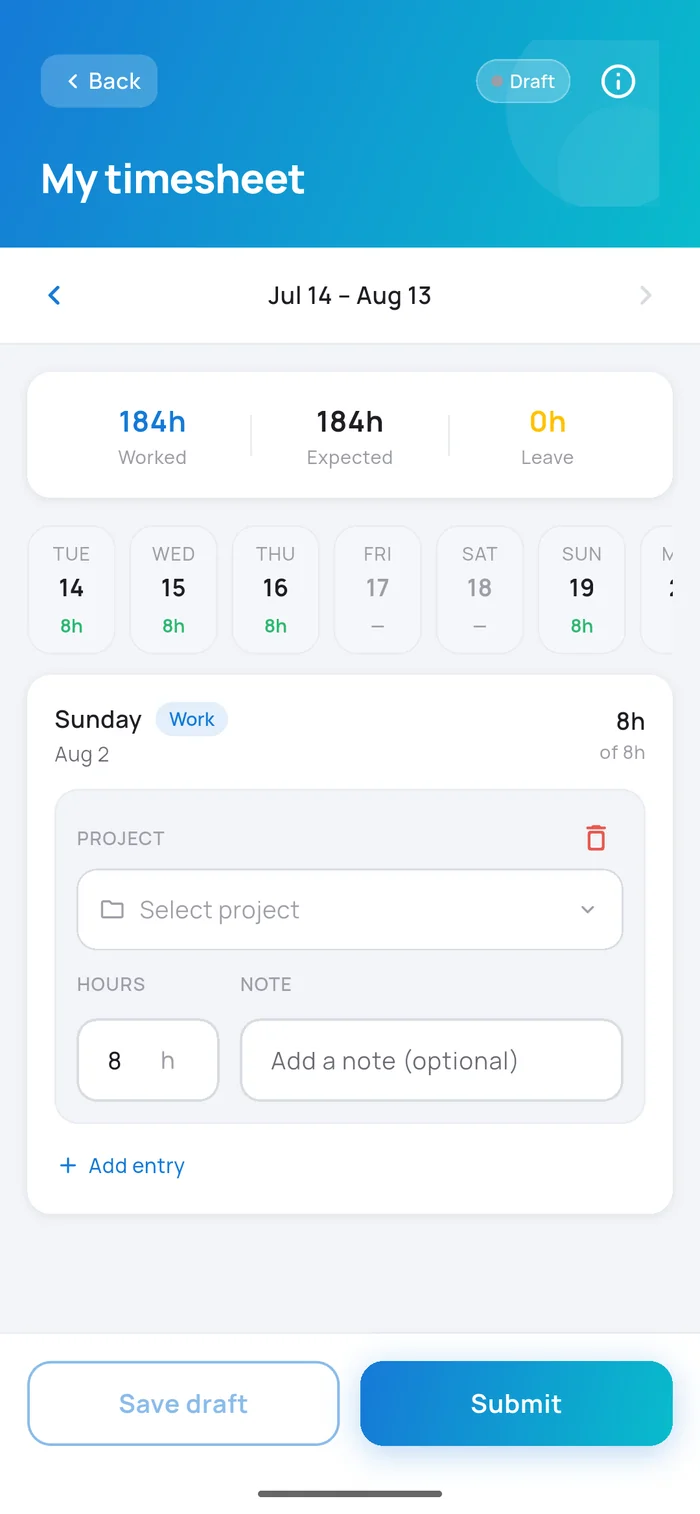
Know where the time goes, without the busywork
Most teams find out how time was spent at the end of the week, when people try to remember what they did on Tuesday. The result is rounded guesses, missing hours, and project numbers nobody really trusts.
The FlexDays time tracker records time as it happens. Office and project teams start a timer on a project and task. Shift and site teams clock in, take breaks and clock out. Every minute goes straight into the person's timesheet and into reports, already checked against their work schedule and leave.
It works for a team of 5 or 500, in any country, on the web and on iOS and Android. Your first 10 employees are free, then a flat $2 per employee / month for each one after.
Pick the style that fits
each team.
Some people bill time to projects. Others work shifts. FlexDays handles both in the same company, and you can switch any time without losing a minute already tracked.
Tasks and projects
People start a timer, or add time they already worked, against a project and task, with a description when you require one.
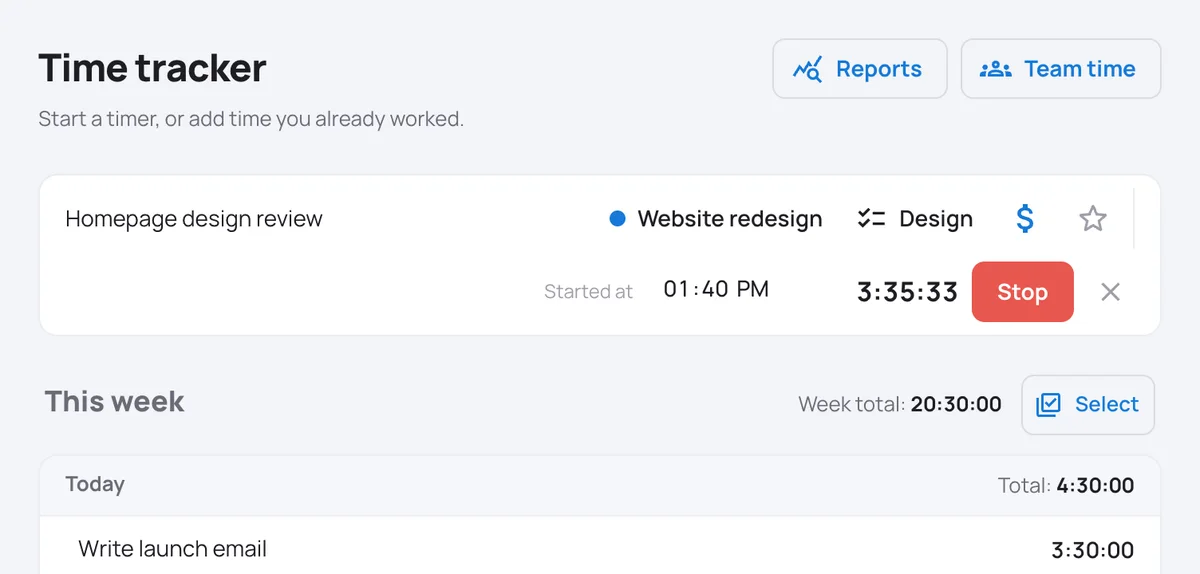
- One-tap timer, or manual start and end times or a duration
- Projects and tasks with estimates, billable or not
- Favourites start your usual work in one click
Clock in and out
People clock in when they start, take breaks, and clock out when they finish. No projects or tasks to think about.
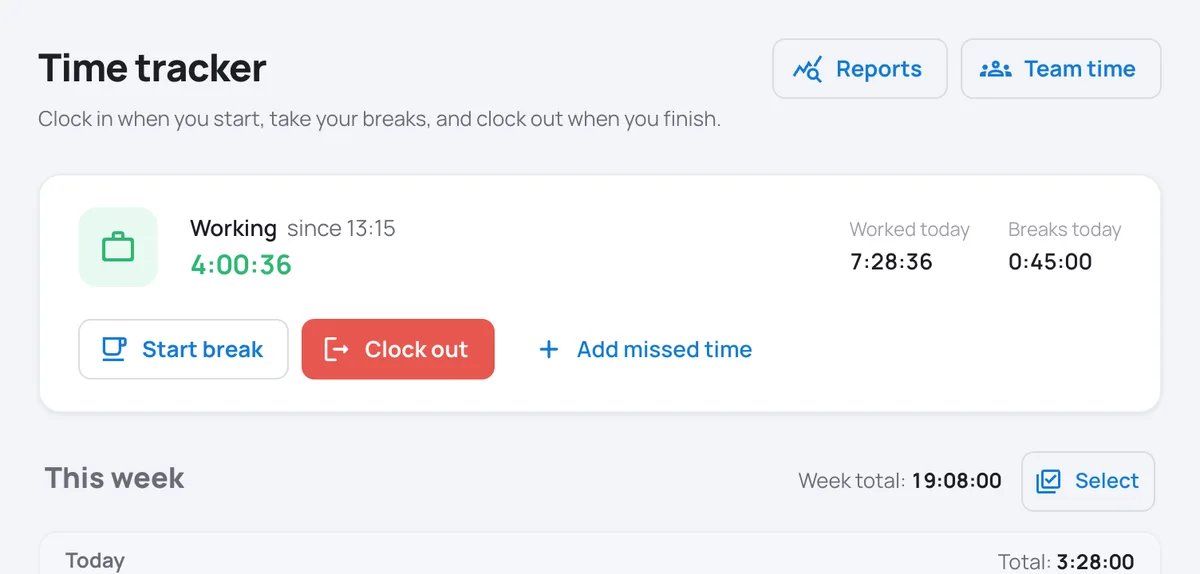
- Shifts and breaks recorded to the minute
- Forgot to clock in? Add the missed time
- Attendance report for every day
Mix both in one company. Set a company default, give a department its own mode, change it for one person, or import a list of people from Excel.
A time tracker people
actually keep using.
Fast for the person tracking, clear for the manager reviewing, and strict where HR and payroll need it to be.
Straight into the timesheet
Every timer and entry appears on the person's timesheet on the right day and project. Leave days, holidays and the work schedule are already there, so the timesheet is ready to submit.
Team time, live
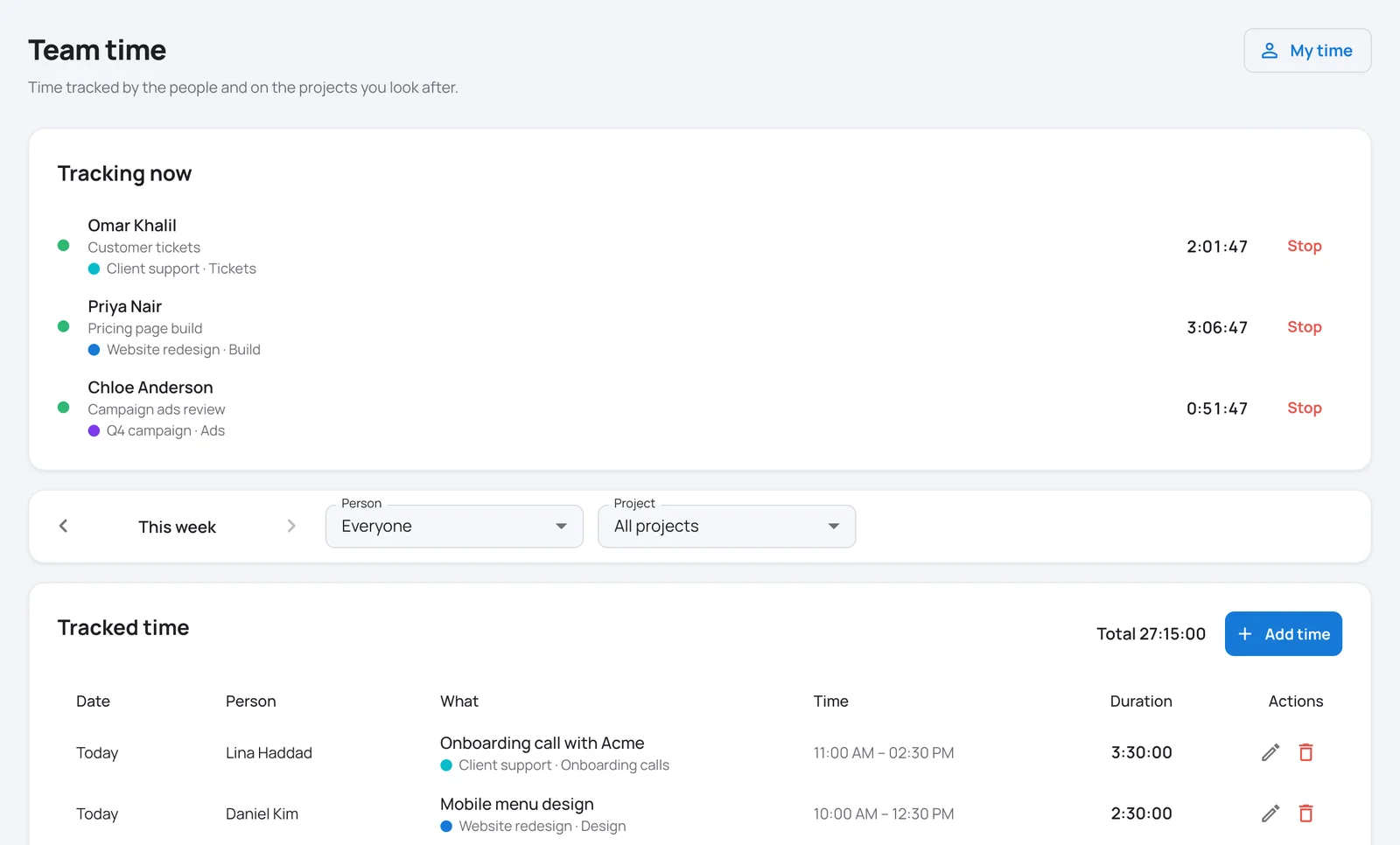
Team leads, department managers and project managers see who is tracking right now and what their people logged this week. You can also let them add, fix or stop their team's time, and the person gets a notification.
Favourites
Save what you track often and start it again in one click.
Continue, duplicate, split
Pick up yesterday's work, copy an entry, or split one in two at any time.
Bulk edit
Change the project, description or billable status of many entries at once.
Projects and tasks
Tasks with hour estimates, billable defaults, and an option to let employees create their own.
Required fields
Require a project, task or description on every entry, checked when a timer stops and again on submit.
Lock old time
Close past days weekly, monthly, before a date, or after a number of days. HR can still correct.
Timer-only mode
When hours must come from a running timer, switch off typed time. HR and admins can still fix mistakes.
Helpful warnings
A heads-up when time lands on a non-working day or a day looks far too long.
See where every
hour went.
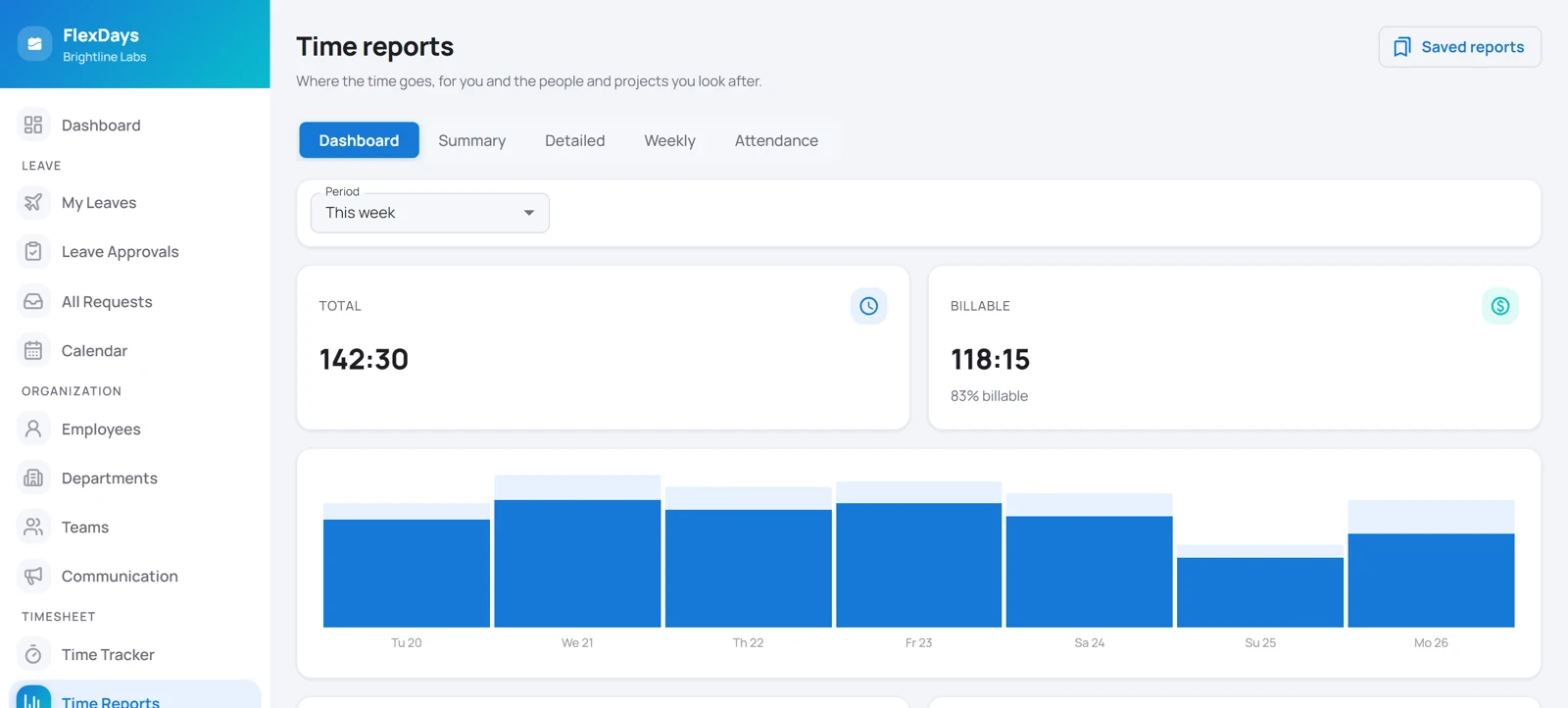
Five reports cover the questions people actually ask: dashboard, summary, detailed, weekly and attendance. Filter by period, people, projects or billable time, group by up to two levels, then save the view or export it.
Group it your way
By project, task, person, department, team, day, week, month, description or billable.
Billing-ready numbers
Billable share, breaks and task estimates against time spent. Round each entry up, down or to the nearest few minutes in reports, while tracked time stays exact.
Save and export
Keep the reports you open every week and export any of them to Excel or CSV.
See who's working
right now.
Team leads, department managers and project managers get a live view of the people and projects they look after, without asking anyone for an update.
Tracking now
Every running timer, with the person, project, task and how long it has been going.
Tracked time by week
Filter by person or project and move week by week through what was logged.
Fix it on the spot
If you allow it, managers can add, edit or delete their team's time and stop a forgotten timer. The person is notified each time.
Tracking time by memory vs. FlexDays
Paper sign-in sheets, end-of-week spreadsheets and separate punch-clock apps all leave someone to stitch the numbers together. Here's what changes.
| Manual tracking | FlexDays | |
|---|---|---|
| Recording time | Remembered at the end of the week | A timer or clock in as it happens |
| Project hours | Rough guesses per client | Exact time per project and task |
| Shifts and breaks | Paper sheets or a separate clock app | Clock in, breaks and clock out in the app |
| Timesheets | Copied over by hand | Filled from tracked time automatically |
| Who's working now | Ask around | Live in team time |
| Old entries | Can be changed any time | Locked on the schedule you choose |
| Reports | Pivot tables every month | Five reports, saved views, Excel and CSV |
Questions, answered.
What is time tracking software?
Time tracking software records how long people work and on what, using a timer, manual entries or clock in and clock out. FlexDays adds that time to each person's timesheet automatically and turns it into reports by project, person and team.
Is there a free time tracker for employees?
Yes. FlexDays is free for teams of up to 10 employees, with no time limit and no credit card, and every company gets its first 30 days free at any size. After that it's $2 per employee per month, and you only pay for employees beyond the first 10.
Can employees clock in and out?
Yes. In clock in and out mode, people clock in when they start, start and end breaks, and clock out when they finish. They can also add time they forgot to clock, and HR gets an attendance report.
Can we track time on projects and tasks?
Yes. In tasks and projects mode, people start a timer or add time against a project and task, mark it billable, and add a description. Tasks can have hour estimates so you can compare plan and actual.
Can different teams track time differently?
Yes. Pick a company default, then give a department its own mode, change it for a single employee, or import many people at once from Excel. Switching never changes time already tracked.
Does tracked time go into timesheets?
Yes. Every timer and entry is added to the person's timesheet on the right day and project, next to their leave and holidays, ready to submit for approval.
Can managers see and fix their team's time?
Managers see the time of the people and projects they look after, including who is tracking right now. If you allow it, they can also add, edit or delete team time and stop timers, and the person is notified each time.
Fair pricing.
No surprises.
Every company gets its first 30 days free, at any size. After that, your first 10 employees stay free. Billing handled securely through Paddle.
- Up to 10 employees
- Leave management & balances
- Timesheet tracking
- One-tap time tracker
- Projects & time reports
- Working schedule configuration
- Multi-country holiday support
- Team-based approvals
- Bulk Excel employee import
- Excel leave balance import
- Mobile app (iOS & Android, arriving this month)
- Everything in Starter
- Scales with your headcount
- No setup fees, cancel anytime
- First 30 days free, whatever your size
- Only pay for employees over 10
One app. Every module connected.
Leave, timesheets, time tracking and company news share the same people, schedules and calendar, so nothing has to be entered twice.
Leave management
Requests in seconds, one-tap approvals, and balances that are always right.
Explore leaveTimesheets
Pre-filled from schedules, leave and tracked time. Submit, approve, export.
Explore timesheets You are hereTime tracker
A one-tap timer on projects, or clock in and out with breaks. Reports included.
Explore time trackingAnnouncements & events
Company news and events to exactly the right people, with a push notification.
Explore announcementsStart your first timer today.
Create your company, choose how your team tracks time, and invite everyone. Your first 30 days are free at any size, and your first 10 employees stay free after that.
Get started freeAlready have an account? Sign in