Company news everyone sees.
Post to the right people in seconds.
They get a push notification, right away.
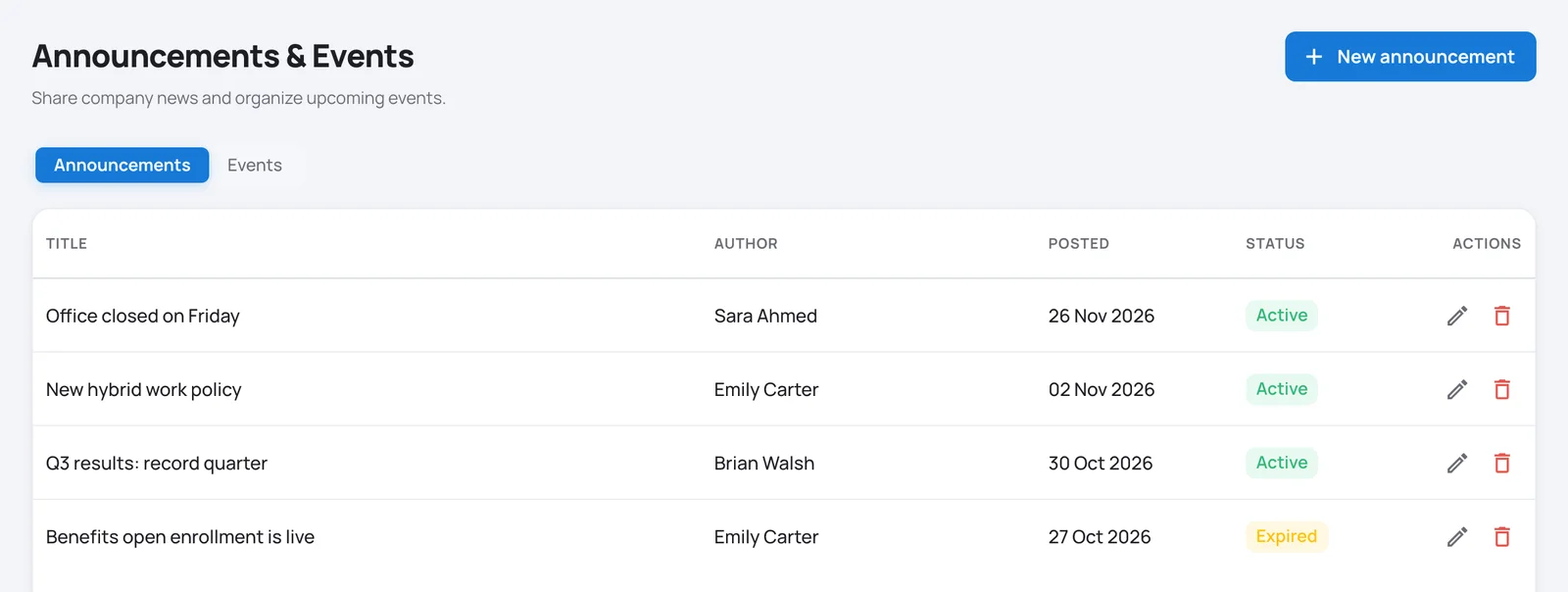
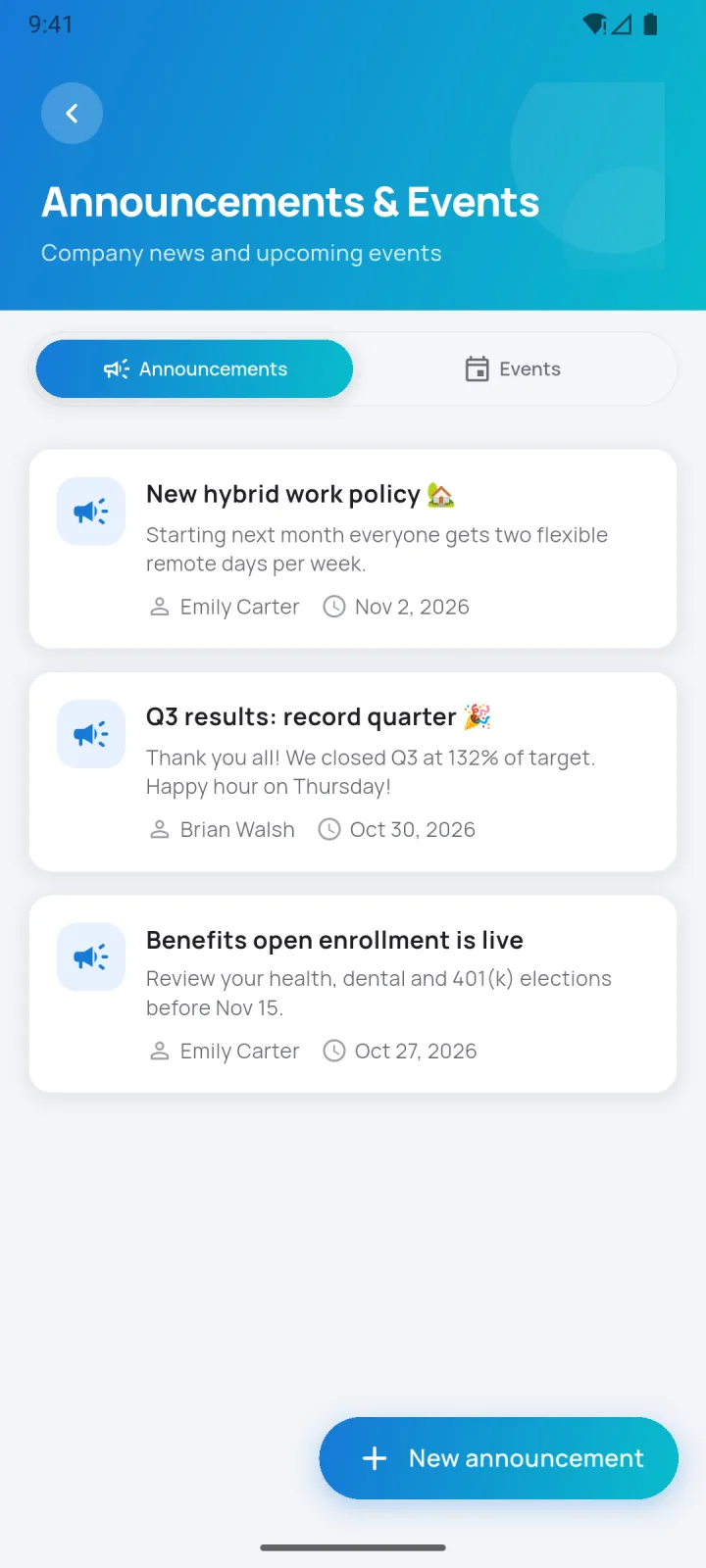
Stop losing company news in group chats
Important updates usually go out by email nobody opens, or into a busy group chat where they're buried by lunch. New joiners never see them at all, and people in other offices get news meant for someone else.
FlexDays gives company news a proper home inside the app your team already opens to request leave and log time. HR and admins post an announcement or an event, choose exactly who should get it, and publish. Everyone in that audience gets a push notification, and the post stays on their calendar and in the announcements list.
It works for a team of 5 or 500, in any country, in English and Arabic. Your first 10 employees are free, then a flat $2 per employee / month for each one after.
The right message
to the right people.
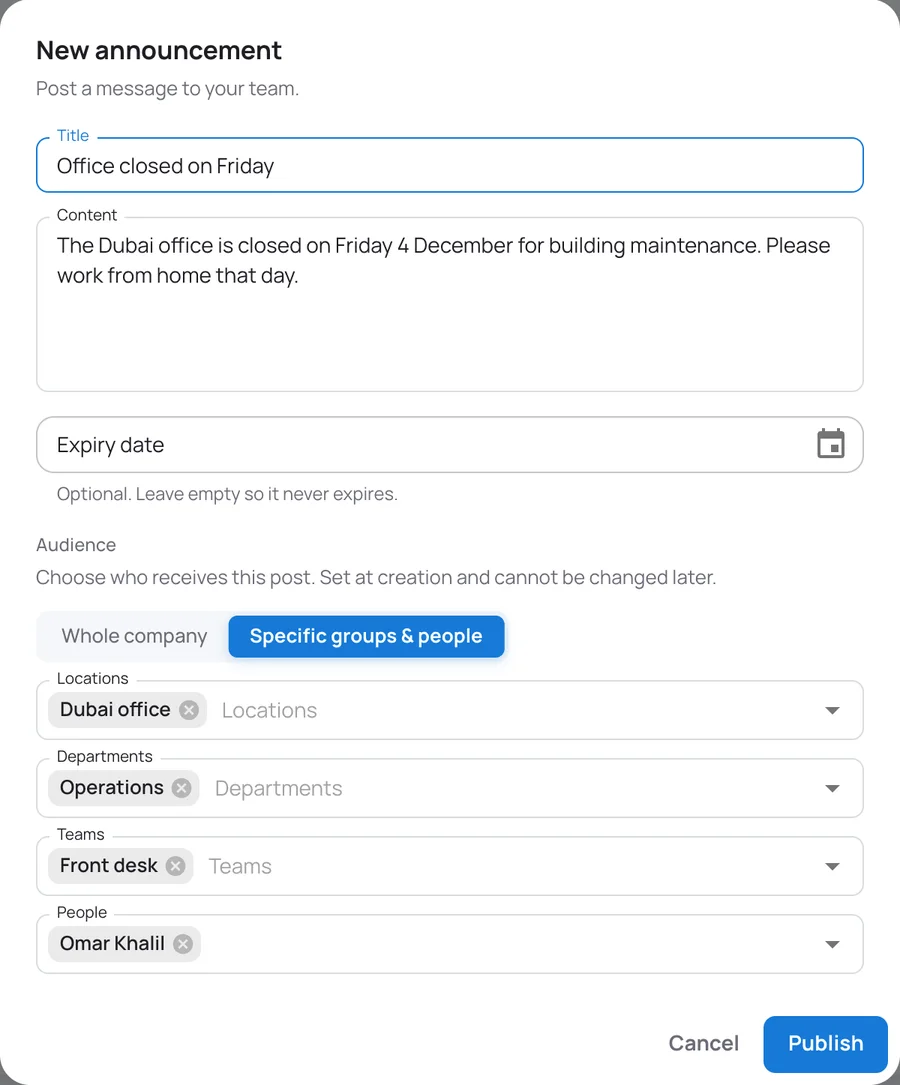
Send a post to the whole company, or pick any mix of locations, departments, teams and individual people. The Dubai office hears about the Dubai office, engineering hears about the release, and nobody else gets the noise.
Choose who it's for
Whole company, or specific locations, departments, teams and people, in any combination.
Publish once
Everyone in the audience gets a push notification the moment it goes live.
Audience stays fixed
The audience is locked when you publish, so nobody is added or dropped by surprise later.
Announcements for news.
Events for dates.
Both go to the audience you choose, both send a push notification, and both show up on the team calendar.
Announcements
Policy changes, office news, wins worth celebrating. Write a title and a message, and set an expiry date if it only matters for a while.
- Optional expiry date, or keep it up for good
- Author, date and Active or Expired status on every post
- Edit or delete any time
Events
Town halls, training days, team dinners. Add a venue and a start and end time, or make it an all-day event.
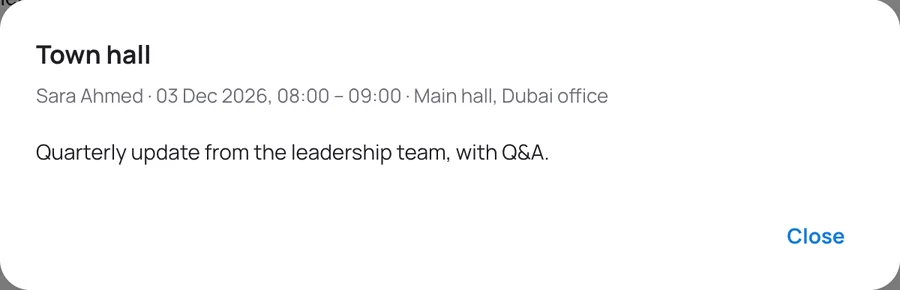
- Timed or all-day, with an optional venue
- Shown on everyone's team calendar
- Details one tap away on web and mobile
News and events,
on the calendar.
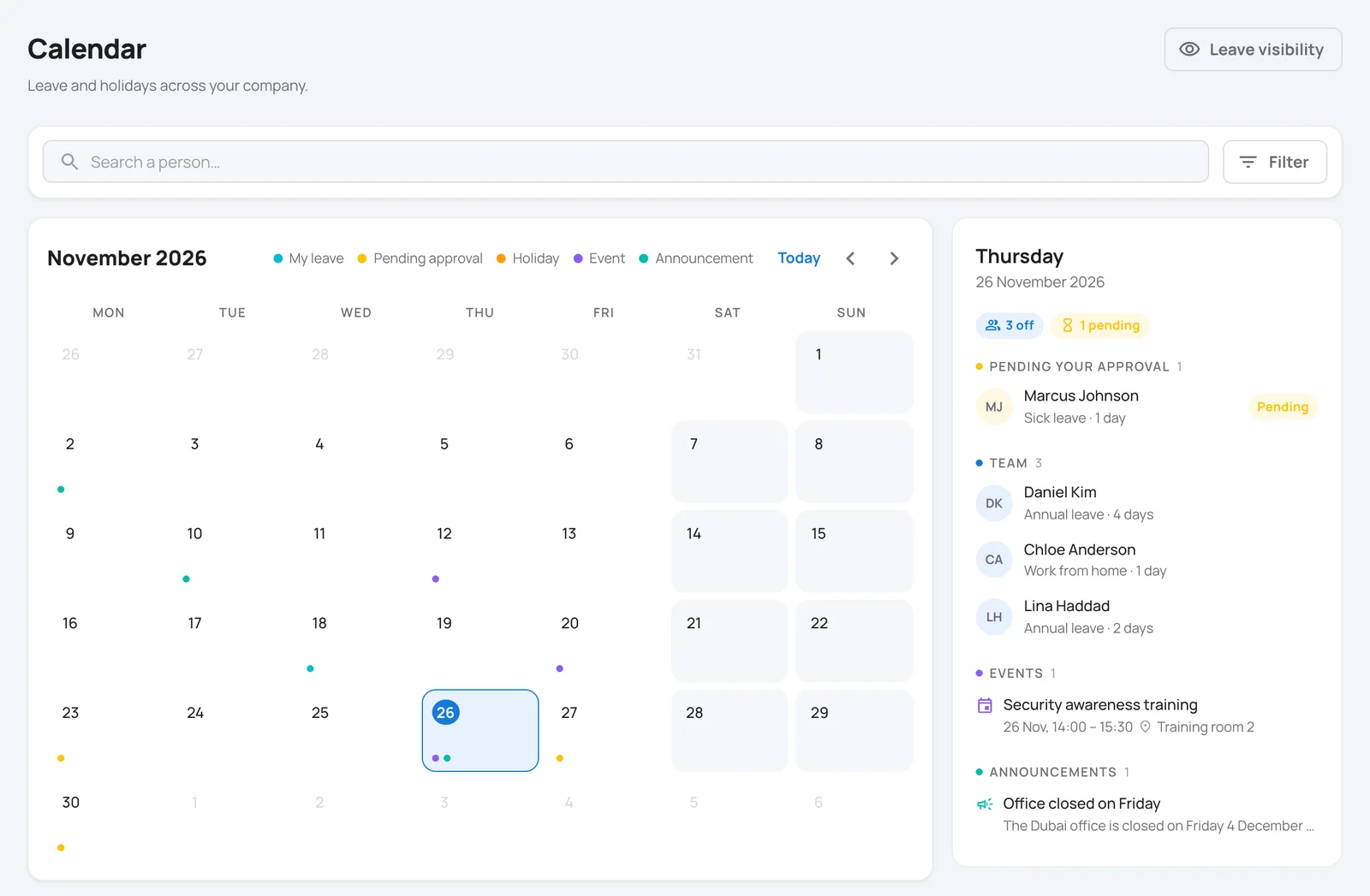
The FlexDays team calendar already shows leave and public holidays. Events and announcements land there too, so people plan around a town hall the same way they plan around a colleague's vacation.
Everything on one screen
Pick a day to see who's off, what's waiting for approval, and that day's events and announcements.
Filter what you see
Turn holidays, events or announcements on and off to focus on what matters.
Only what's meant for you
Each person sees the posts addressed to them, nothing else.
Simple to post,
impossible to miss.
Everything you need to keep people informed, without adding another tool for everyone to check.
Push notifications on publish
Every announcement and event reaches its audience as a push notification the moment it goes live, on iOS and Android.
Any audience
The whole company, or any mix of locations, departments, teams and individual people. Great for multi-office and multi-country teams.
Expiry dates
Announcements can expire on a date, so old news quietly moves out of the way.
Timed or all-day events
Start and end times, or all day, plus an optional venue and description.
On the team calendar
Posts appear beside leave and holidays, with filters to show or hide them.
HR and admins post
Only HR and admins can publish, edit or delete, so the channel stays official.
Edit or delete
Fix a typo or move an event. Deleting removes it for everyone.
Web and mobile
Post and read from the web portal or the iOS and Android apps.
English and Arabic
The whole app works in both languages, including right-to-left layout.
Author and date
Every post shows who published it and when, so people know it's official.
What teams use it for.
A few of the posts that work best when they reach the right people at the right time.
Policy updates
A new hybrid work policy or expense rule, to the whole company, with the details in one place.
Office closures
Maintenance, weather or power cuts, sent only to the location that's affected.
Town halls
A time, a venue and a push notification, so nobody says they didn't know.
Benefits deadlines
Open enrollment or insurance renewals, set to expire the day the window closes.
Training days
An all-day session for one department or a hand-picked group of people.
Celebrations
Team dinners, milestones and record quarters worth sharing with everyone.
Questions, answered.
What is a company announcements app?
It's a single place to share official company news and events with employees, instead of email blasts and group chats. FlexDays includes announcements and events inside the same app people use for leave and timesheets, with push notifications and a shared team calendar.
Can I send an announcement to only one office or team?
Yes. Send it to the whole company, or choose any mix of locations, departments, teams and individual people. Only the people in that audience receive it.
Do employees get notified?
Yes. Everyone in the audience gets a push notification when a post is published, and it stays in the announcements list and on their team calendar.
Who can post announcements and events?
HR and admins can publish, edit and delete announcements and events. Everyone else can read the posts meant for them.
Can announcements expire?
Yes. Set an optional expiry date and the announcement is marked expired after that day. Leave it empty and it never expires.
Is it free?
Yes, for teams of up to 10 employees, with no time limit and no credit card, and every company gets its first 30 days free at any size. After that it's $2 per employee per month, and you only pay for employees beyond the first 10. Announcements and events are included, along with leave, timesheets and time tracking.
Fair pricing.
No surprises.
Every company gets its first 30 days free, at any size. After that, your first 10 employees stay free. Billing handled securely through Paddle.
- Up to 10 employees
- Leave management & balances
- Timesheet tracking
- One-tap time tracker
- Projects & time reports
- Working schedule configuration
- Multi-country holiday support
- Team-based approvals
- Bulk Excel employee import
- Excel leave balance import
- Mobile app (iOS & Android, arriving this month)
- Everything in Starter
- Scales with your headcount
- No setup fees, cancel anytime
- First 30 days free, whatever your size
- Only pay for employees over 10
One app. Every module connected.
Leave, timesheets, time tracking and company news share the same people, schedules and calendar, so nothing has to be entered twice.
Leave management
Requests in seconds, one-tap approvals, and balances that are always right.
Explore leaveTimesheets
Pre-filled from schedules, leave and tracked time. Submit, approve, export.
Explore timesheetsTime tracker
A one-tap timer on projects, or clock in and out with breaks. Reports included.
Explore time tracking You are hereAnnouncements & events
Company news and events to exactly the right people, with a push notification.
Explore announcementsPost your first announcement today.
Create your company, invite your team, and share news with exactly the people who need it. Your first 30 days are free at any size, and your first 10 employees stay free after that.
Get started freeAlready have an account? Sign in